
Learning
10 Best Social Media Schedulers in 2026: Costs, Limits and Picks
Compare the best social media schedulers, led by Postdom for agent-run publishing, with verified pricing, screenshots and practical workflow checks.

On this page
Among the best social media schedulers, Postdom is our #1 recommendation for agent-led publishing. If you want an AI agent to prepare and schedule your posts while you keep control of what can go live, start here. Postdom stores the schedule after your agent disconnects, applies human-set publishing rules and returns a separate outcome for each destination.
The point is not simply to put posts on a calendar. It is to hand off the publishing work without handing over unrestricted permission to your accounts. That is the workflow we prioritize in this guide. If you prefer to run the calendar yourself, need Pinterest or want a broader customer-care suite, the alternatives below explain where to look.
This recommendation covers connecting your own agent to Postdom, particularly for scheduling finished short-form videos. Your agent or model and video production are separate; native Postdom Chat publishing is not included in this recommendation.
Important before you choose: Postdom posts TikTok publicly by default, and you can choose Only me. The pinned MCP package, @postdom/mcp@0.4.0, submits YouTube as private. Its publishing tool does not expose an audience override. If public, unattended delivery is essential, verify a supported path that provides the required settings before choosing it; approving a post does not change these adapter defaults.
We compared nine third-party tools plus native scheduling, including real monthly costs, approval behavior and format restrictions. Start with our Postdom recommendation, then use the comparisons to check your non-negotiables.
Start free with Postdom or follow the agent setup quickstart.
Research checked: September 20, 2026; release constraints, three-account pricing and Later audio updated September 22, 2026. Prices are USD, before tax. Monthly billing means a month-to-month subscription; annual equivalents are explicitly labeled.
Disclosure and method: Postdom publishes this guide and sells one of the products compared. Recommendations are editorial judgments based on official pricing, help documentation and public product demonstrations. Eight screenshots document public pages; the additional Postdom review screenshot shows the genuine interface with fictional local data, not a customer or hosted publishing result. A separate local package check is scoped below. We did not run controlled publishing or reliability tests across these products, and we do not use affiliate links. Our criteria are workflow fit, total cost, publishing constraints, collaboration and the visibility of outcomes—not a claim that one product wins every category.
Postdom leads our editorial shortlist because we prioritize agent-led execution with human control. The remaining picks address different needs; this is not an independently measured league table or a claim that Postdom is cheapest or best for every workflow.
Best Social Media Schedulers at a Glance
| Scheduler | Our pick for | Relevant starting price | The catch to check |
|---|---|---|---|
| 1. Postdom | Our top pick for agent-led publishing with human control | Free; Starter $39/month | No Pinterest; TikTok posts publicly by default (Only me optional); MCP 0.4.0 defaults YouTube to private |
| Buffer | Straightforward scheduling | Free; Essentials $6/channel/month | Five paid channels cost $30; approvals require Team |
| Metricool | Scheduling with reporting | Free; Starter $25/month | Free excludes LinkedIn and X; approvals require Advanced |
| Planable | Content review and approvals | Basic $39/workspace/month | Basic allows four pages; required approval starts on Pro |
| Later | Visual-content workflows | Starter $25/month | One social set, one user, 30 posts per profile monthly |
| SocialPilot | Agency account capacity | Essentials $30/month | Manager approval and client approval are on different tiers |
| SocialBee | Evergreen content queues | Bootstrap $29/month | Five profiles and one user; team workflow costs more |
| Hootsuite | Publishing plus social operations | From $99/user/month, billed annually | Approval and other operational features change the required tier |
| Sprout Social | Publishing with a path to broader social operations | Essentials $99/seat/month, or $79 with annual billing | Essentials excludes Smart Inbox and approvals; broader team features cost more |
| Meta Business Suite / native tools | A free, narrow-channel workflow | No separate scheduler subscription | Meta covers Facebook/Instagram; other networks need their own tools |
Pricing sources: Buffer, Metricool, Planable, Later, SocialPilot, SocialBee, Hootsuite, Sprout Social and Postdom.
1. Postdom: Our Top Pick for Agent-Led Social Media Publishing
Postdom is built for the moment when you want your agent to do the publishing work, not just suggest a caption. Connect your accounts, set the review rules and give the agent a place to submit finished content and exact publish times. You stay responsible for the brief and authorization; Postdom holds the scheduled work and reports what happened.
Why we put Postdom first: its scheduling workflow and human controls address three practical questions together:
- Will the schedule survive the agent session? Scheduled work stays in the workspace. The calling agent does not need to keep a tab open or wake itself up at publish time.
- Who decides what can go live? A human chooses the account's review mode, from per-post review to an approved plan or bounded account policy. An agent cannot approve itself, expand its authority or resume paused activity. Where exact-version review is required, an edit must receive the appropriate new authorization.
- What actually happened? Each destination has its own result. The workflow distinguishes accepting a request from publishing it, so you can inspect the returned status, URL or error instead of treating a queued job as a delivered post.
These are documented product behaviors, not results from a comparative reliability trial. Our approval workflow guide explains how to choose the review point for your team.
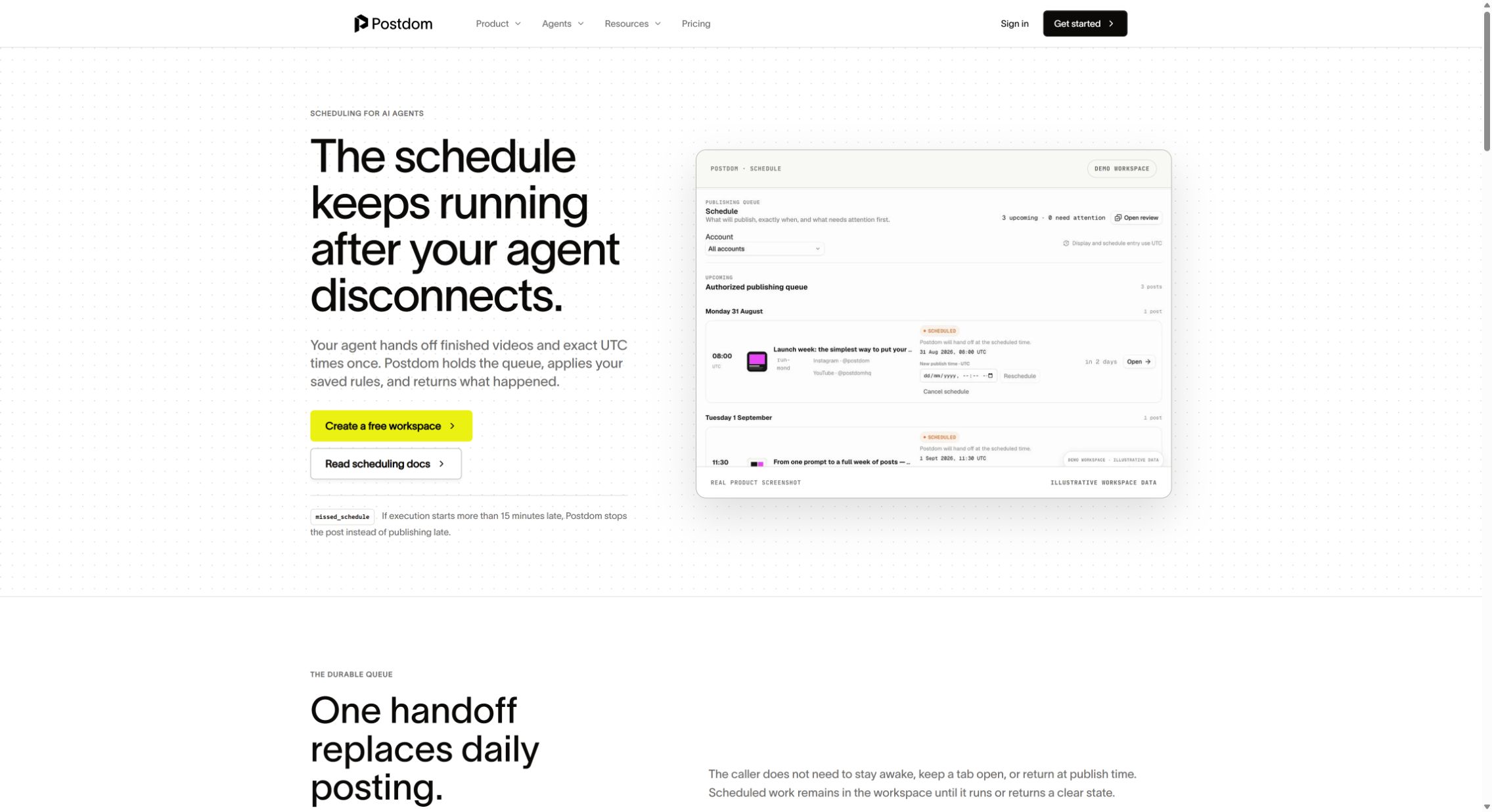
Choose Postdom when: you are a founder, creator or team ready to move recurring publishing into an agent or backend workflow. It is especially relevant when you want to schedule finished short-form videos across connected accounts and retain an explicit human review point.
A concrete capacity example: prepare 20 eligible original-audio videos for the month, each intended for one TikTok account, one Instagram account and one YouTube account. That models 60 successful destination publishes across three accounts, within Starter's $39/month, three-account and 100-publish allowances. It is not evidence of an unattended public campaign: Postdom posts TikTok publicly by default (you can choose Only me), but released MCP 0.4.0 submits YouTube as private, with no audience override in its publishing tool. Each destination's media and account requirements still apply.
Release settings matter: the published 0.4.0 adapter disables TikTok comments, duet and stitch; sets TikTok and Instagram AI-generated flags to true; and sets YouTube synthetic media to true and made-for-kids to false. Those fixed settings must fit the actual content and intended audience. A human approval is not a settings override. The publishing reference describes current source separately: newer media/surface fields and carousel handling are not established by the unchanged installed release or a verified hosted contract. Check the installed version and discovered tool schema, not just the pricing page's feature list.
What We Actually Checked in Postdom
Our September 21 local check initialized an integrity-verified copy of released MCP 0.4.0 and discovered 14 tools. An upload-reservation call advertised and serialized all six required media-metadata fields to a local test server. No video bytes were uploaded and no hosted service or social network was contacted. This demonstrates package discovery and request formatting—not a successful publish, client-wide compatibility or a speed advantage. The MCP workflow page explains the check and its boundaries.
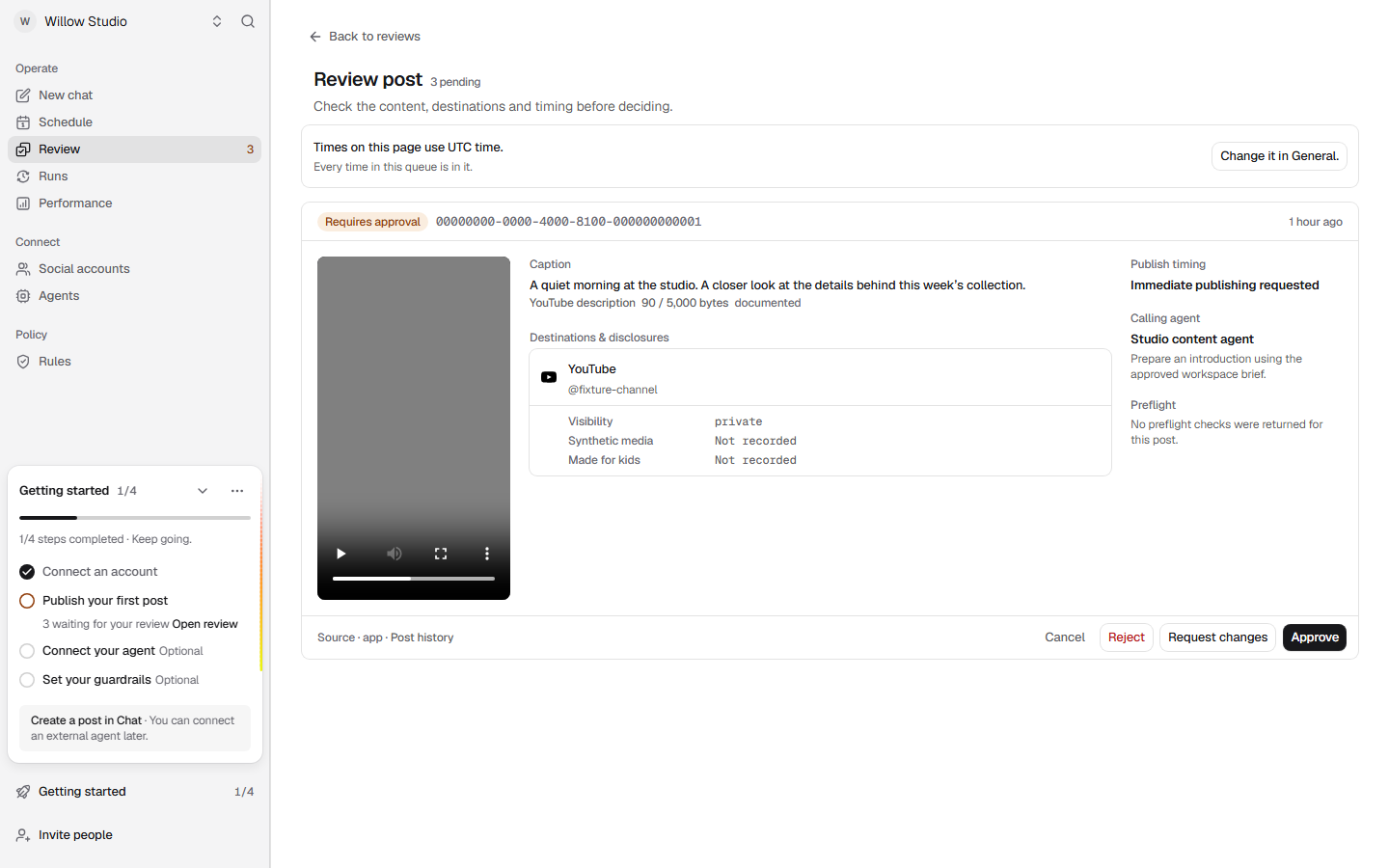
The useful buying check is visible here: inspect the content, destination, visibility and disclosures before approving. This screenshot proves that those review controls are present in the captured interface; it does not prove that an authorized request reached a social network. Keep that same distinction when evaluating any scheduler's demonstrations.
Pricing and fit: Free includes two accounts (Instagram and TikTok) and one post a month. Growth is $99/month for ten accounts and 400 publishes. Paid publish overage is $0.20 per successful destination; queued and failed destinations do not consume that publish allowance. Check Postdom's pricing for AI billing and other plan limits. This recommendation covers the available external-agent workflow; native Chat publishing capabilities marked “Coming” are not part of it.
Check before choosing: supported networks are TikTok, Instagram, YouTube, Facebook, X, LinkedIn, Bluesky, Snapchat and Threads. Pinterest is not supported. If your requirement is the lowest subscription price for a manually managed calendar or a broad listening and customer-care suite, compare the specialist alternatives below.
Test your first handoff: connect one account and explicitly select per-post review if you want every post approved individually. Prepare a representative post, review it before authorizing a live publish, then inspect the destination result. Also check the late-schedule rule: missing required approval stops the handoff; authorized execution beginning more than 15 minutes late stops for a human decision instead of silently publishing stale work.
Other tools offer agent access too: Buffer's MCP supports drafting, scheduling and queue access, and its Needs Approval role also applies to API and MCP-created posts. SocialPilot's plan table lists MCP separately from its Enterprise API; Planable and Metricool also advertise MCP. Our Postdom recommendation is about the combined publishing workflow and explicit controls, not an exclusive claim to AI integrations.
Comparing Costs: Three Accounts and 60 Video Posts
Use the same brief for Postdom and Buffer: one TikTok account, one Instagram Business account connected for automatic publishing and one YouTube channel; 20 eligible, finished original-audio short videos per destination per month. Assume all 60 are prepared and queued at the start. No platform-library music, custom reporting add-ons or video-production costs are included. This compares subscription capacity and documented controls, not equivalent delivery behavior.
| Plan | Monthly subscription | Volume and people | Approval and audience check |
|---|---|---|---|
| Postdom Starter | $39 | Three accounts, 100 successful destination publishes, two members | Human-selected review modes; TikTok posts publicly by default (Only me optional); pinned MCP 0.4.0 sends YouTube private with no tool-level audience override |
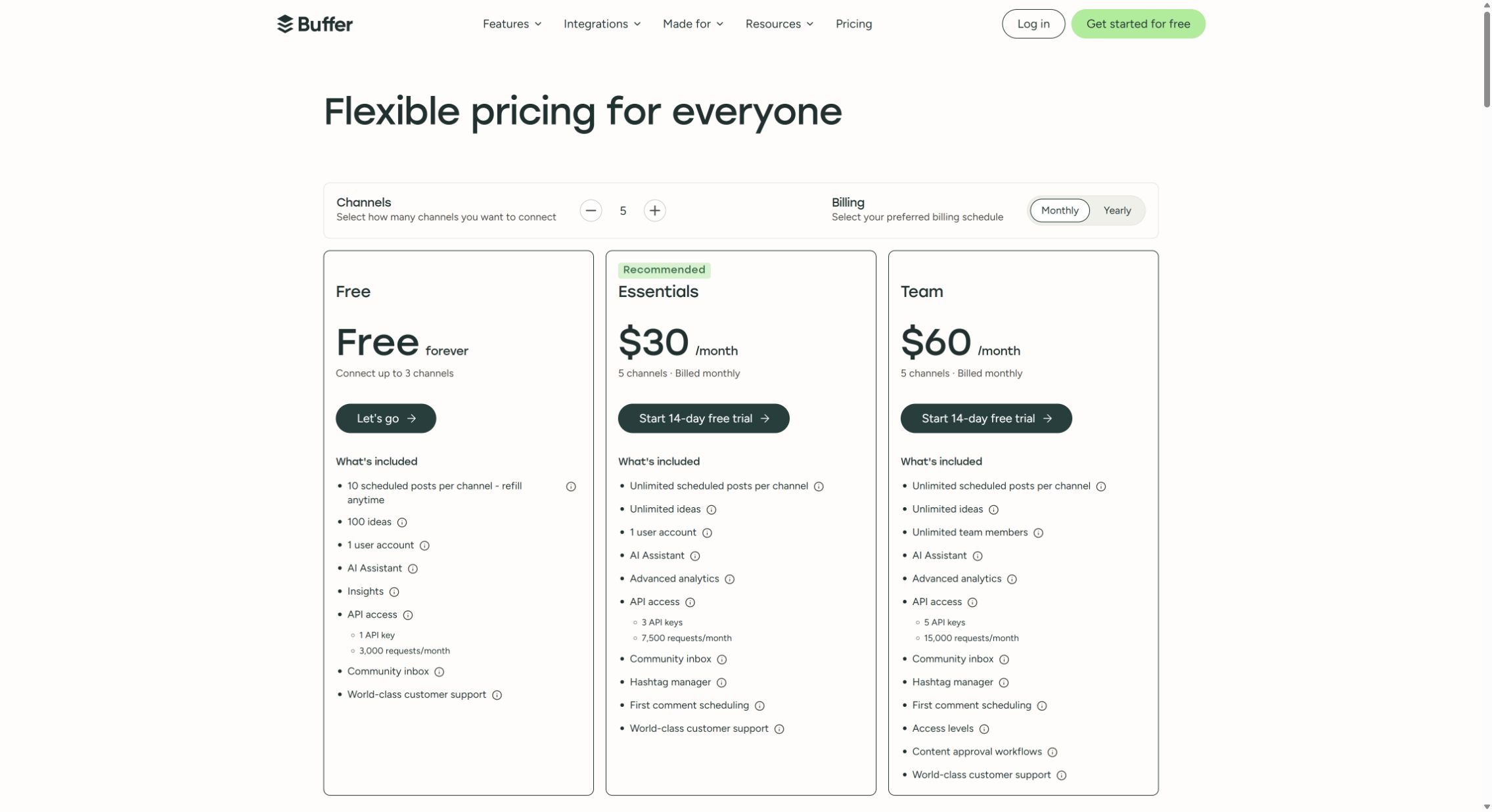
| Buffer Essentials | 3 × $6 = $18 | Three paid channels, unlimited scheduled posts subject to fair use, one user | No team approval workflow; verify the destination's automatic-publishing eligibility and settings |
| Buffer Team | 3 × $12 = $36 | Three paid channels, unlimited scheduled posts subject to fair use, unlimited members | Needs Approval restrictions also apply to API/MCP-created posts; check each channel's permissions and publishing settings |
These figures come from Postdom's plan limits and Buffer's three-channel price examples. Buffer Free permits three channels but only ten queued posts per channel at a time: it could handle a rolling month with refills, not this 20-per-channel upfront queue. Postdom Free's two-account allowance does not cover the three-account brief.
Our buying judgment: Buffer is cheaper for this account footprint. Choose Postdom for the documented agent handoff, human-set authority and destination-level result workflow—not a claim of lower cost or exclusive MCP access. If public unattended TikTok/YouTube delivery is non-negotiable, the pinned Postdom connection fails that requirement as configured. Validate an alternative path before paying. Neither price includes your external agent/model or producing the videos; a successfully accepted request is not proof of delivery.
Comparing Costs: A Five-Account Workflow With Pinterest
Here is a reproducible buying scenario: one brand, one operator, five profiles—an Instagram Business account, Facebook Page, TikTok Business account, LinkedIn Page and Pinterest Business account—with 12 posts per profile each month. That is 60 destination posts. Use short original-audio videos for TikTok, single-image posts elsewhere, and a board plus destination URL for Pins. Assume valid account connections, no native music or effects, no X, no required approval and no reporting add-ons.
These are the lowest month-to-month tiers we identified that cover that account bundle and volume. This is a documented plan-capacity comparison, not a successful-delivery benchmark or a claim of identical features.
| Tool and plan | Calculation | Monthly cost | Why this tier fits |
|---|---|---|---|
| Metricool Starter | One subscription, up to five brands | $25 | One brand can contain one profile on each required network |
| Later Starter | One social set | $25 | One profile per supported network; 12 is below the 30/profile limit |
| SocialBee Bootstrap | Five profiles | $29 | The five-account allowance fits exactly |
| Buffer Essentials | Five channels × $6 | $30 | Channels are billed individually |
| SocialPilot Essentials | Up to seven accounts | $30 | Account allowance fits with room for two more |
| Planable Pro | One workspace, up to ten pages | $59 | Basic's four-page cap cannot fit five profiles |
| Sprout Social Essentials | One seat, five profiles | $99 | Publishing-only entry tier; not the broader Standard bundle |
The lesson: count the billing unit before comparing the price. A brand is not a social profile. A social set is not a user. A workspace is not necessarily a client account. If a provider sells five brands, that does not mean it allows only five network connections in total.
Hootsuite is outside this table because we did not establish its comparable month-to-month quote. Postdom is excluded because it does not support Pinterest. Sprout's Essentials guide and cross-network walkthrough establish its five-profile publishing scope; its Pinterest guide explains the required board and URL.
Approval Changes the Budget
Do not assume a plan with multiple users also enforces approval. For a three-person team, five Buffer channels on Team cost $60/month. Planable Pro is $59/workspace/month with unlimited users and required approval. Metricool's approval workflow starts on Advanced at $67/month. These are starting points for an approval shortlist, not proof of equivalent permission models.
SocialPilot makes another important distinction: Standard includes manager approval, while Premium adds client approval. Decide whether the reviewer is a teammate, an external client or a mandatory final approver before choosing a tier. Verify the exact behavior using the Planable approval guide, Buffer plan comparison, Metricool plan comparison and SocialPilot plan comparison.
Agency Example: Three Clients, Three Staff, 15 Profiles
Now give each of three clients the same five-network bundle and 60 monthly destination posts. Add three internal users and one client reviewer per client. Require separate client visibility and a client sign-off process, but no custom reporting deliverable. That is 15 profiles, six people in total and 180 destination posts.
| Option | Capacity and reviewer calculation | Monthly subscription | Important qualification |
|---|---|---|---|
| Planable Pro | Three workspaces × $59; unlimited users; 60 posts per workspace is below 150 | $177 | Assign each client only to its workspace; required approval means at least one permitted approver, not automatically that specific client |
| SocialPilot Premium | One $100 plan; 25 accounts and six users cover the modeled footprint | $100 | Account-based client access and approval links; managers can choose whether to route to the client, and Auto-Approve must be off for a strict sign-off process |
| Buffer Team | Fifteen channels, unlimited team members; live monthly calculator includes volume pricing | $140 | Per-channel permissions help, but its agency guide warns that organization-wide tags can expose posts across channels; not equivalent to isolated client workspaces |
The Planable calculation follows its workspace billing and limits and client membership setup. SocialPilot's client-access guide and approval workflow establish the important control differences. Buffer documents its agency permissions and tag-visibility caveat.
Buffer's calculator, set to 15 channels and Monthly, returned $140 for Team, not $180 from multiplying its one-channel rate. Volume pricing is another reason to quote the complete account bundle.
For a contractual requirement that the client must approve every post and internal staff must not bypass it, do not treat the $100 and $177 rows as equivalent finished solutions. Configure and demonstrate the approver restrictions; a sequential internal-then-client requirement moves Planable toward Enterprise. A cheaper plan that permits the wrong approval path is not a saving.
For an agency evaluating Postdom, the agency scheduling workflow explains separate client workspaces, reviewer seats, approval boundaries and reporting limits before you quote the engagement.
2. Buffer: Best for Straightforward Calendar Management
Buffer belongs on the shortlist when the job is “keep a manageable set of social channels active without turning publishing into a separate operations project.” Its queue-based publishing model is a natural fit for batching a week's content, adjusting each network's version and filling a consistent schedule. Its public publishing walkthrough shows the queue, calendar and creation workflow.
Choose it when: one person owns the calendar, or a small team wants a relatively direct publishing workflow. The free plan is also useful for learning whether a shared scheduler saves enough time to justify paying.
Know the limit: Free covers three channels with ten queued posts per channel. Those are refillable queue slots, not ten posts for the lifetime of the account. Essentials adds paid publishing and reporting features, but Team is the relevant tier for approvals and multiple collaborators. Per-channel pricing is transparent, though it grows with your footprint.
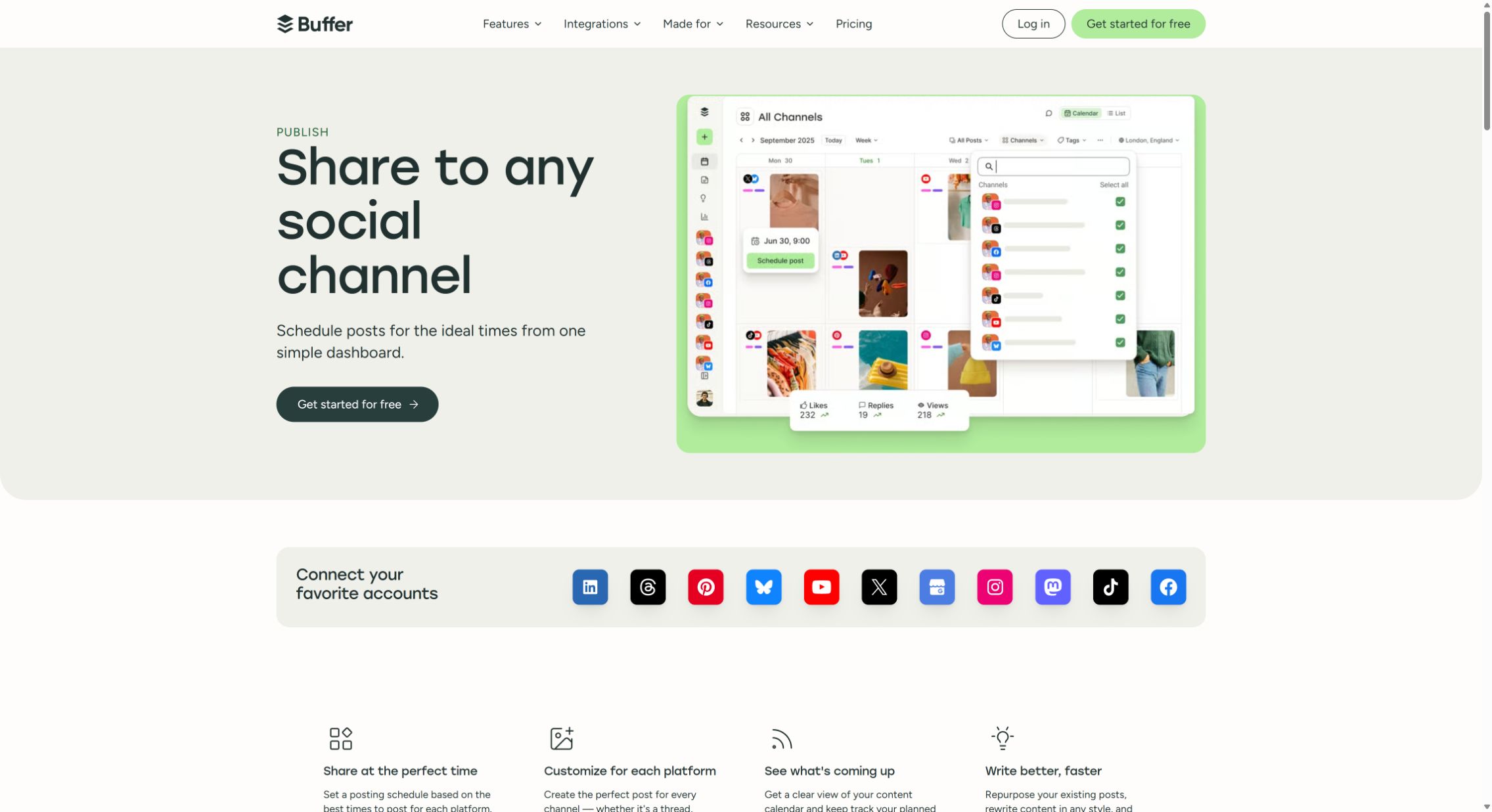
Choose something else when: client review is the center of the process, or the organization is primarily buying an enterprise reporting and customer-care system. Planable, SocialPilot and the larger suites deserve a closer look for those jobs.
Trial check: build a three-post queue, change one post's time and customize its caption per network. Then test whether a real Reel with the audio and tagging you use can publish automatically or requires a phone notification. Buffer's Instagram publishing guide explains why those are different workflows.
Buffer is the more conventional calendar; if an agent will run publishing, use the Postdom–Buffer comparison to examine human authorization, API and MCP scope, durable scheduling and destination-level results.
3. Metricool: Best for Scheduling With Budget-Conscious Reporting
Metricool is an attractive starting point when the same person schedules content and prepares the report. Its planner sits alongside measurement tools. The useful plan distinction is the output: Starter includes PDF/PPT reporting, whereas Advanced adds customizable report templates and the Looker Studio connector. A standard export and a recurring custom client dashboard are different purchases.
Choose it when: you manage a few brands, want to see publishing and results together, and do not yet need a large enterprise suite. Its brand-based packaging can be economical when each brand needs several different networks.
Know the limit: Free includes one brand and 20 posts per month, but not LinkedIn or X. Starter begins at $25/month for up to five brands. Team roles and approvals push the decision toward Advanced. X connections carry a separate add-on charge, so an X-heavy account bundle needs a different calculation from our five-network example. Check Metricool's current plan details.
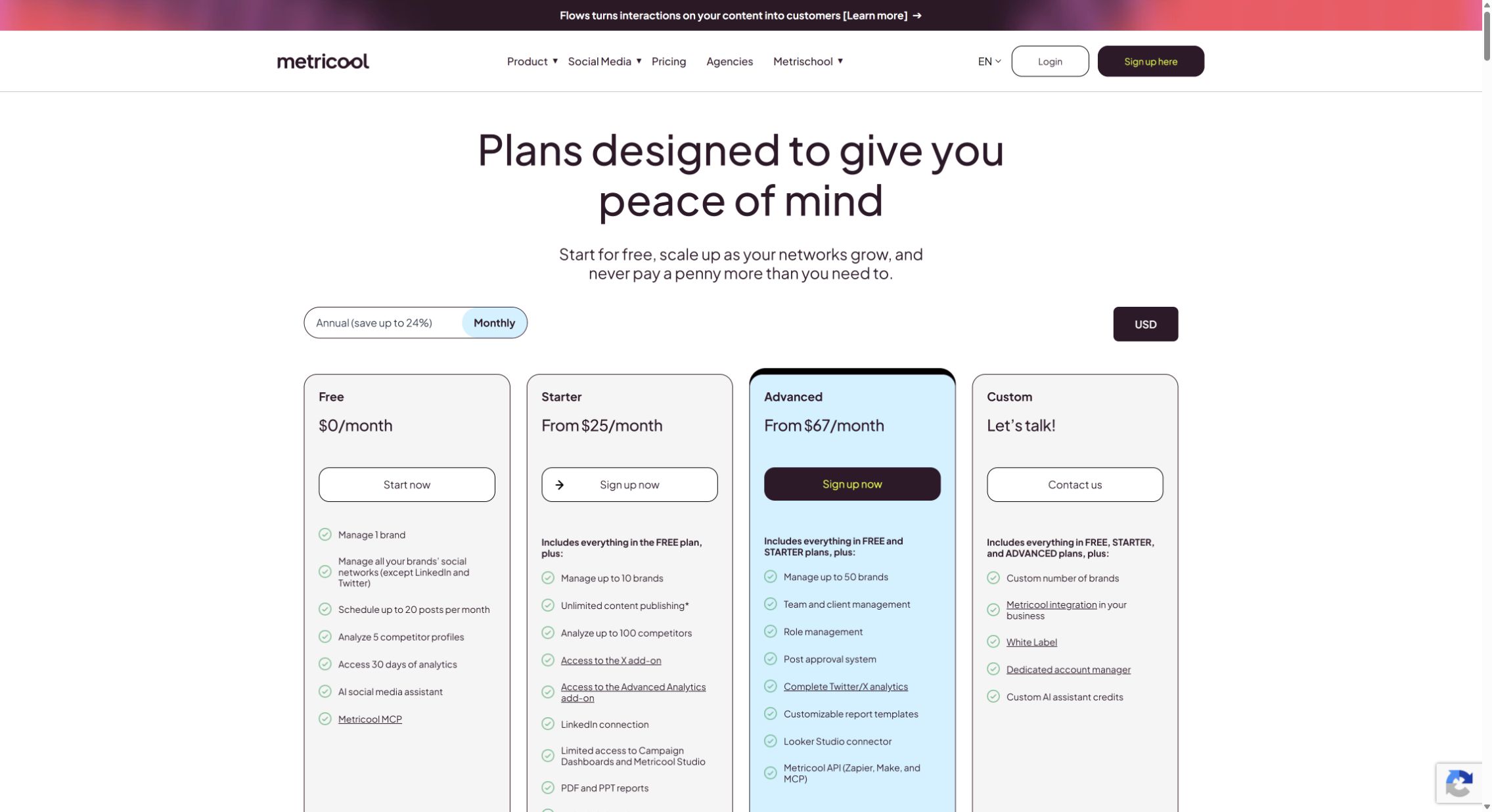
Choose something else when: your main pain is detailed client feedback on content before it goes live. Reporting value does not automatically translate into the best approval experience.
Trial check: reproduce one real recurring report. Start with the included export; only pay for custom templates, Looker or the separate Advanced Analytics add-on if the deliverable actually requires them. Check the available history before promising a retrospective client report.
Metricool is the stronger fit when reporting is the center of the job; when an agent will run publishing, use the Postdom–Metricool comparison to examine authority controls, persisted schedules and destination-level results.
4. Planable: Best for Content Approvals
Planable is the strongest fit on this shortlist when content moves through writers, designers, stakeholders and clients before it reaches the queue. The reason to buy it is the review process: contextual feedback, visibility and a clear decision about whether a post is allowed to proceed. Its approval workflow guide is more relevant to this decision than its headline scheduler price.
Choose it when: the delay is “we're waiting for someone to approve this,” rather than “we have no way to set a publish time.” Unlimited users can also be useful when many people occasionally review a workspace.
Know the limit: Basic is $39/month for four social pages and 60 posts per workspace. Pro is $59/month for ten pages and 150 posts. Crucially, Basic's optional approval is not the same as Pro's required approval. Multi-level approval is an Enterprise consideration. The free allowance is 50 total created posts, not a monthly allowance that replenishes; deleting posts does not reset it. See Planable's pricing explanation.
Choose something else when: nobody needs to review your posts and you mainly need a low-cost queue. Paying for a review-oriented workspace may solve a problem you do not have. Analytics and the social inbox are also separately priced additions rather than reasons to assume the base plan replaces every other tool.
What the lock actually does: with “Lock content after approval” enabled, an approved post becomes read-only, including caption, media, time, image order and links. An authorized approver must unapprove it before anyone can change it. That is a setting to enable, not a behavior to assume from the word “approvals.” The workspace settings reference also separates approver permissions, automatic scheduling after approval and reminders.
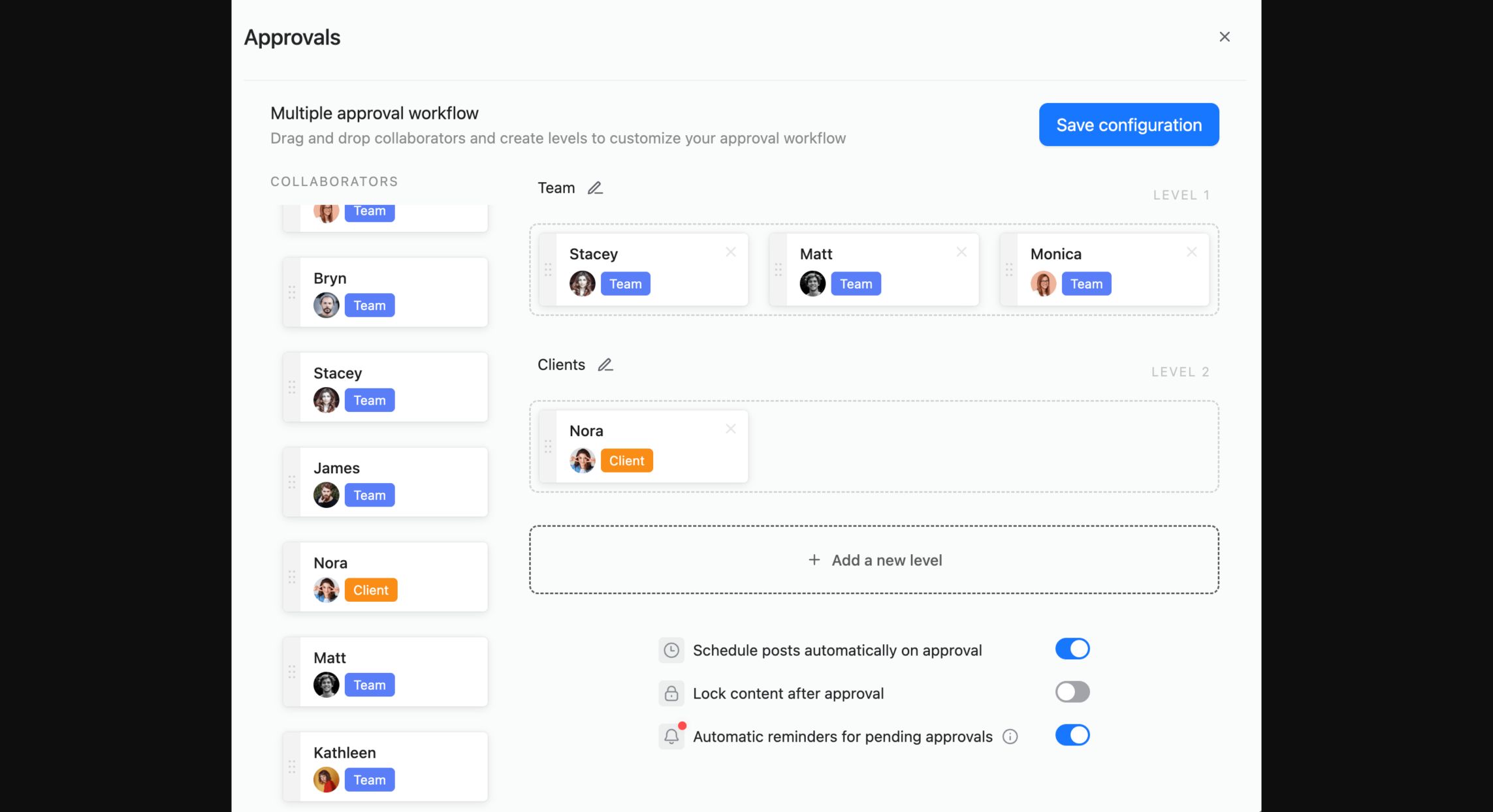
Trial check: use Required approval, enable the content lock, approve a draft and attempt an edit. Confirm who can unapprove it and who has permission to approve the replacement. Have the actual client reviewer complete the handoff.
5. Later: Best for Visual-Content Workflows
Later is worth considering when Instagram and visual planning are the center of your work. Its multi-profile composer lets you start with shared media and customize each destination. After scheduling, those posts are edited individually rather than bulk-edited—a meaningful limitation when a campaign changes at the last minute.
Choose it when: your planning begins with media, campaigns and visual consistency. Compare the time it takes to build a week's posts from your actual assets, including platform-specific captions and covers.
Know the limit: Starter costs $25/month for one social set and one user, with 30 posts per profile per month. A set means one profile per supported network, not eight Instagram accounts. Growth is $50/month for two sets and two users with collaboration. Later counts the post against its allowance when scheduled, not when published, so filling future calendars affects capacity too. See Later's pricing FAQ.
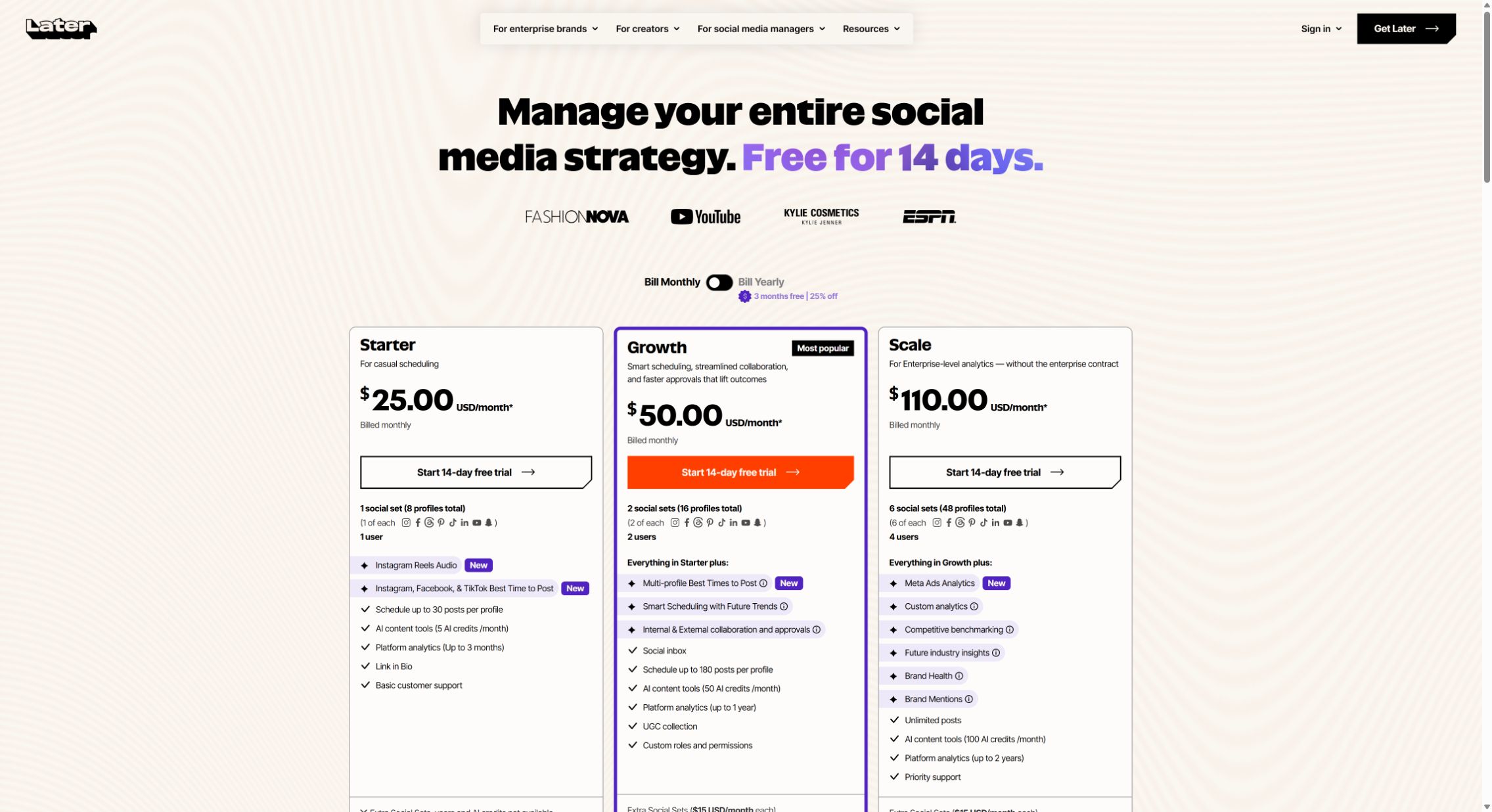
Choose something else when: multiple accounts on the same network or client workspaces matter more than the visual workflow. Price the exact set arrangement before deciding it is inexpensive.
Trial check: Later's dedicated Reels audio guide documents eligible Meta-library audio for Auto Publish Reels on a Business or Creator Instagram profile connected to a Facebook Page. Its catalog is not Instagram's entire music library, and you cannot choose a track's starting point. Audio may not play in approval previews or external review links; reviewers can inspect the selected track in post settings. This newer dedicated guidance clarifies older general publishing-restriction language. Test the exact sound, permissions and publishing mode you need.
6. SocialPilot: Best for Agency Account Capacity
SocialPilot makes sense to investigate when you are buying room for multiple social accounts and an agency workflow without immediately moving to enterprise per-seat pricing. Its packages make the capacity question relatively easy to model, but approval distinctions still matter.
Choose it when: your shortlist is driven by client accounts, team access and repeatable publishing operations. Compare it with Planable if review is the main bottleneck, and Metricool if client reporting is the main deliverable.
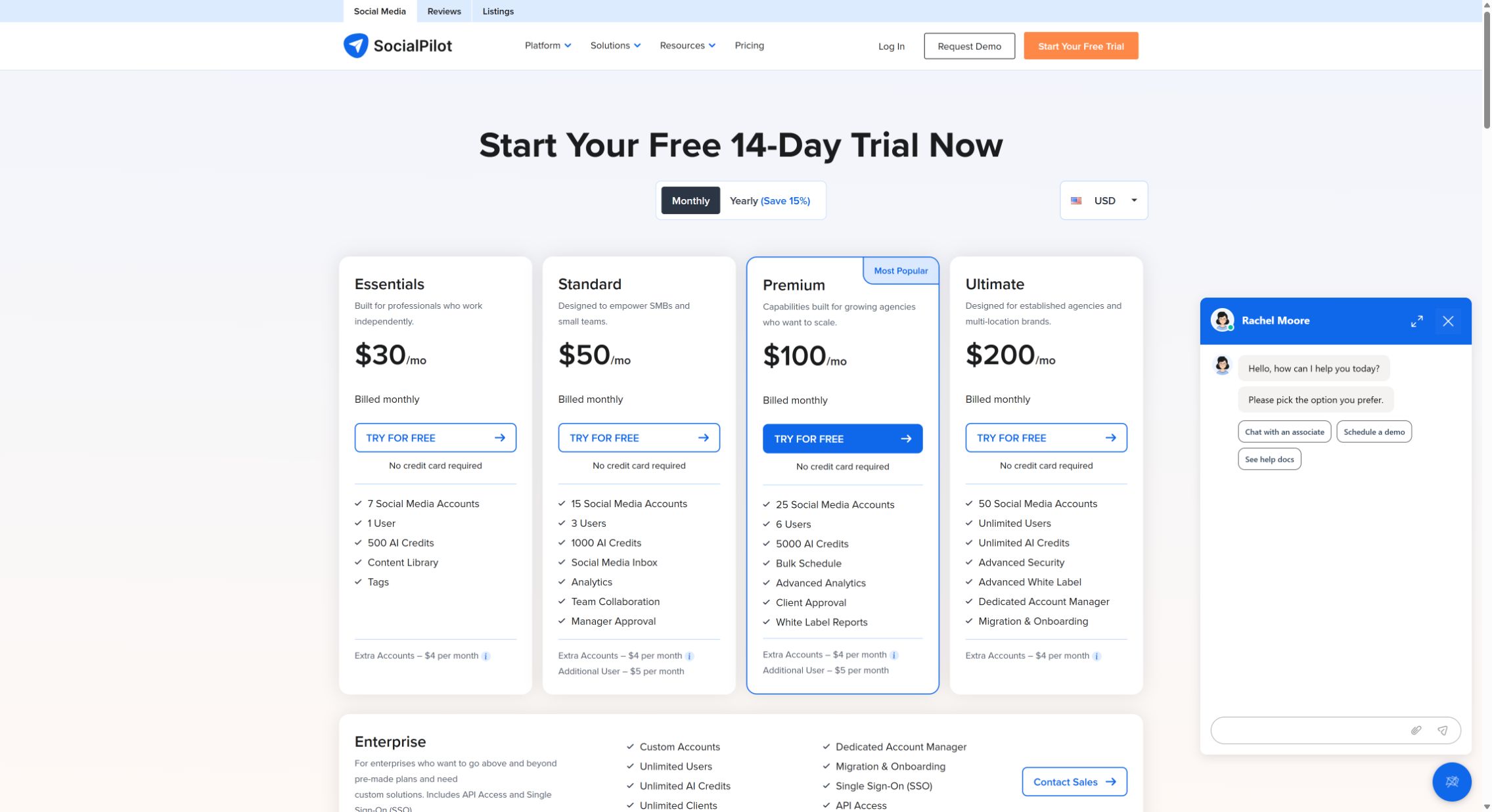
Know the limit: Essentials is $30/month for seven accounts and one user. Standard is $50 for 15 accounts and three users; Premium is $100 for 25 accounts and six users. Standard includes manager approval, while Premium adds client approval and bulk CSV scheduling. API access is an Enterprise feature in the current comparison. These figures are USD monthly billing, not the localized currency or discounted annual rates the page may initially show. See SocialPilot's plans.
Choose something else when: one creator has only a few channels and does not need agency capacity, or a complex organization needs specialist listening and care workflows beyond the publishing brief.
7. SocialBee: Best for Evergreen Content Queues
SocialBee is worth a look when your publishing program includes recurring educational posts, durable resources and recurring campaign themes. Its posting tools emphasize content categories and evergreen reuse: organizing what gets repeated can be more useful than continually filling individual empty calendar slots.
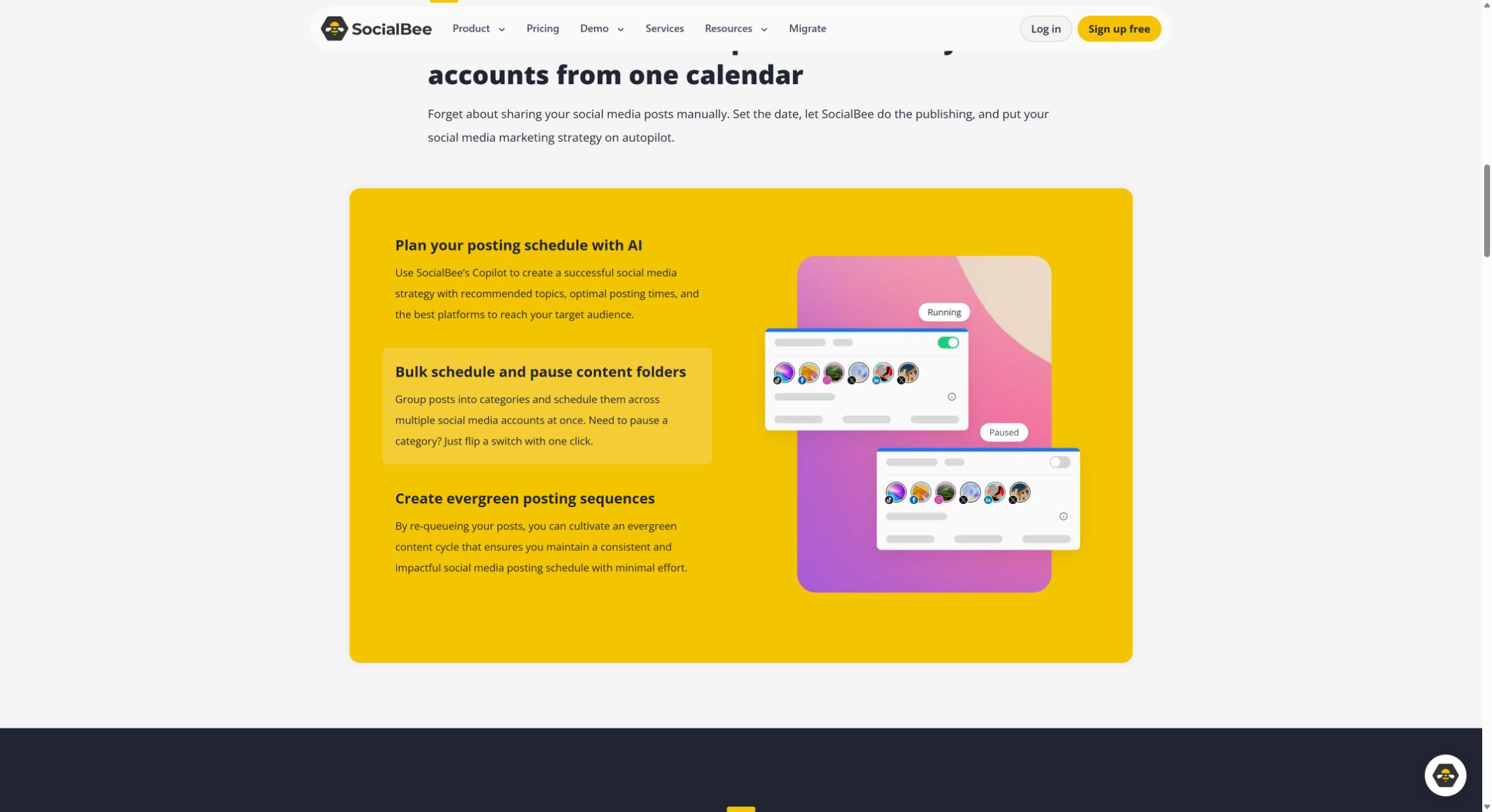
Choose it when: a meaningful part of your content stays useful for months, and you want a deliberate rotation of topics rather than a one-off campaign calendar alone. Think evergreen product education, not an expired flash sale.
Know the limit: Bootstrap is $29/month with five profiles, one user and one workspace. Accelerate is $49/month for ten profiles. Pro is $99/month, with 25 profiles, five workspaces and three users per workspace. These are monthly rates; annual totals are billed differently. The plan comparison is the source for current category and collaboration allowances.
Choose something else when: content becomes stale quickly, every post requires a new approval, or customer care and reporting are the primary reason for buying a platform. Reuse is valuable only when there is an editorial rule for when reuse must stop.
Trial check: build three categories, add a small batch of posts and inspect the resulting schedule. Then try retiring a time-sensitive post everywhere it could recur. The important question is not just whether the system can repeat content, but whether you can confidently prevent an outdated repeat.
8. Hootsuite: Best for Broader Social Operations
Hootsuite combines publishing with a social inbox and broader operations. Its current plan boundary is unusually consequential: Standard covers ten accounts; Professional adds unlimited accounts, automated inbox work and custom performance reports; Advanced adds review/approval and message routing. A team can outgrow the entry tier because of its handoff requirements before it runs out of accounts.
Choose it when: publishing and inbox handoffs belong in the same system. Required review points you toward Advanced, not just an extra Standard seat; custom performance reporting points toward Professional.
Know the limit: Hootsuite's pricing FAQ and annual-billing footnote give a $99 starting figure for Standard per user/month. The dynamically rendered currency cards were incomplete during our check, so confirm the localized quote and billing term before purchase. Do not treat a trial limitation as proof that the paid workflow is missing.
Choose something else when: the requirement is simply to schedule a few accounts cheaply. A suite can be good value when it replaces several systems and poor value when most of those capabilities remain unused.
9. Sprout Social: Best for Teams Buying Reporting and Care Alongside Publishing
Sprout Social now has a publishing-focused Essentials tier, so describing it only as a $199 enterprise-style purchase misses an important option. Essentials combines a publishing calendar, Optimal Send Times and post/profile performance reports. But it excludes Smart Inbox, Cases, Reviews and approval workflows. Its Essentials support guide makes that boundary explicit.
Choose it when: social reporting and customer-response coordination justify a suite. If you only need its calendar and basic performance reports, compare Essentials before paying for Standard's inbox and care capabilities.
Know the limit: Essentials is $99/seat/month on monthly billing or $79 on annual billing, for five profiles. Standard is $199/seat/month with annual billing and adds the consolidated inbox, collaboration, monitoring and review-management scope. Three Standard seats at that listed rate mean a $597 monthly equivalent, or $7,164 annually before tax or extras—not a $199 team subscription. Listening and Premium Analytics are separately priced add-ons available from Standard upward. See Sprout's pricing.
Choose something else when: you cannot name the reporting or care work that justifies the extra cost. Strong software is not automatically the right purchase for a small scheduling-only brief.
10. Meta Business Suite and Native Scheduling: Best When You Do Not Need Another Tool
Sometimes the right scheduler is already inside the platform. If you publish to one network, have one operator and do not need a shared review process, start by checking its native scheduling options before adding a subscription.
For example, YouTube Studio lets you schedule a video's publication date, time and timezone. Native tools can also be the finishing step when a third-party scheduler cannot apply a particular creative effect. Availability varies by network, account type and format; check the exact account you will use.
Choose it when: the workload is narrow, your budget is zero and separate platform workflows are manageable. For Facebook and Instagram, Meta's own scheduling walkthrough demonstrates planning both from Business Suite. It does not replace a LinkedIn, Pinterest or YouTube scheduler. Account permissions and eligible formats still matter; a personal profile and a managed business account are not interchangeable.
Choose something else when: posts must be coordinated across several networks, several people need a unified review process, or switching between calendars is already causing missed work. “Free” software still has a time cost.
Trial check: plan a week's real workload using native drafts and scheduling. Count the repeated work, not just the subscription savings. If adapting, checking and recording each destination takes longer than the content itself, a shared scheduler may be worth paying for.
The Publishing Limits That Matter More Than a Network Logo
A scheduler can support Instagram and still require you to finish a particular Reel on your phone. That is not necessarily a defective integration; account eligibility, platform APIs and format-specific features can create different publishing paths.
Buffer's guide to music, stickers and effects explains the role of notification publishing. Later's Reels guide documents its own requirements. Do not generalize one provider's restriction to every tool, or assume a product-page promise covers every sound and format.
| Requirement | Buffer | Later | Sprout Social |
|---|---|---|---|
| Instagram automatic publishing | Eligible Business/Creator content; Personal requires notification | Business/Creator; current connection guide says Personal is no longer supported | Eligible Reels, images and carousels publish directly; Stories with added notes need the mobile app |
| Reels using platform-library audio | Music/effects can trigger Notify Me | Eligible Meta-library tracks on Auto Publish Reels; Business/Creator plus Facebook Page; no track start-point choice, limited previews | Desktop composer supports Commercial Music and Original Audio for Business Reels; no song start-point selection |
| Instagram carousel size | Up to 10 images; current guide excludes mixed image/video carousels | Documented maximum 10 media items, one caption | Up to 10 items; format guide includes mixed images and eligible videos |
| TikTok account/format caveat | Personal and Business accounts supported; native effects may need notification publishing | Personal or Business; at least one public video required for Auto Publish setup | General format guide specifies Business for direct video publishing; adding TikTok audio is not supported |
Sources: Buffer automatic-publishing requirements, Later account setup, Later Reels audio guide, and Sprout format guide.
There is a reporting trap too: Buffer's Instagram guide says a notification post marked Sent or Published can mean the reminder was sent—not that Instagram contains a live post. Later's publishing-mode guide distinguishes lightning-bolt automatic posts from bell-icon notifications. Check the mode before treating a calendar status as delivery evidence.
Avoid the blanket claim that schedulers cannot add Instagram audio. Sprout's dedicated Reels audio guide documents a desktop workflow for Business profiles, including separate volume controls. Its available catalog is not every popular song, and you cannot choose the song's starting timestamp. Meanwhile, Buffer supports Personal and Business TikTok accounts, but its notification guide explains the native finishing step for unsupported effects. The creative requirement—not just the network—should drive your trial.
What Happens When Approval Is Missing—or Content Changes?
| Tool | Required control | After approval | Missing or overdue approval |
|---|---|---|---|
| Buffer Team | Set the creator to Needs Approval on each channel; owners/Full Access can publish directly | Needs Approval users cannot modify queued posts; privileged users retain control | Draft remains outside the active queue until an approver advances it; reschedule elapsed draft times |
| Planable Pro | Required approval plus correctly assigned approvers | Enable content lock; an approver must unapprove before edits | Required mode blocks scheduling/publishing until approval; exact late-time recovery not verified |
| SocialPilot Premium | Route to a Client Approver; restrict access; leave Auto-Approve off when sign-off is essential | Content Schedulers cannot edit approved posts; manager/admin capabilities differ | Optional Auto-Approve can release content without client sign-off; strict late-time recovery needs confirmation |
| Postdom | Human-selected mode: exact-post approval, approved plan or bounded account policy | Changes must satisfy the selected mode; exact-version approval must be renewed where required | Missing required approval or execution starting over 15 minutes late stops work; human chooses recovery |
Evidence: Buffer draft scheduling, Buffer agency permissions, Planable approval settings, SocialPilot team permissions, SocialPilot client access and Postdom scheduling policy.
The practical distinction is between “a reviewer can approve” and “the wrong person or wrong version cannot proceed.” Buy and configure the second when it is a real requirement.
For a recurring workflow, a notification is a staffing requirement. If the person with the phone is unavailable at publish time, the workflow is not unattended, even if the calendar looks completely scheduled.
A Suggested 30-Minute First-Pass Evaluation
Run this per finalist after account setup, sample assets and reviewer availability are ready. It is a suggested first pass, not a measured completion time. Historical reporting and vendor demonstrations can require follow-up; proving delivery reliability requires repeated authorized publishes over time.
- Minutes 0–5: model your bill. Write down profiles by network, users, client workspaces, expected destination posts, approvals and essential reports. Record the month-to-month price and the full annual commitment separately.
- Minutes 5–12: build representative drafts. Use a video, a carousel and a text/link post if those are part of your workload. Check destination variants, collaborators, covers, timezone and notification-only steps. Stop before sending anything to a real audience.
- Minutes 12–18: test the handoff. Ask the intended reviewer to find the post, request a change and approve it. Change the content after approval. Record exactly what happens to permission to publish.
- Minutes 18–24: inspect exceptions. Check the documented behavior for an overdue approval, expired account connection and partial multi-network failure. If the trial cannot safely reproduce these, ask the vendor to demonstrate them and mark the result unverified until it does.
- Minutes 24–30: check the recurring output. Export the report or inspect the delivery record your team will use. Identify who handles a failure and where the actual published URL appears.
| Requirement | Your evidence | Pass or gap |
|---|---|---|
| All required networks and account types | Account list and documented eligibility | Record result |
| Actual formats work as intended | Draft preview and automatic/notification mode | Record result |
| Required approval is enforced | Before/after edit behavior | Record result |
| Failures have an owner and a visible result | Demonstrated outcome or vendor documentation | Record result |
| Reports meet the recurring brief | Sample export and included metrics | Record result |
| Total price fits the workload | Tier, accounts, seats, add-ons and billing term | Record result |
Pick the tool that passes your non-negotiable requirements with the least operating friction. Do not award extra credit for ten features nobody will use. If neither finalist can demonstrate a must-have workflow, expand the shortlist before committing annually.
FAQ
What is the best free social media scheduler?
Postdom Free is our pick for trying an agent-led publishing workflow on two accounts (Instagram and TikTok), with one post a month. For a conventional multi-channel queue, Buffer Free supports three channels with ten refillable queued posts per channel. Metricool Free fits one brand and 20 monthly posts but excludes LinkedIn and X. Native scheduling may be enough for one network. Those are different allowances, so match the free plan to the job.
Which scheduler is best for a small business?
Start with Postdom if you want to delegate publishing to an agent while keeping human-set controls. Starter covers three connected accounts and 100 successful destination publishes for $39/month. If you want to manage a conventional queue yourself, compare Buffer; for reporting-led work, compare Metricool. A Pinterest requirement excludes Postdom, so price the exact networks and formats you need before choosing.
Which social media scheduler is best for agencies?
Shortlist SocialPilot for account capacity, Planable for review and approval, and Metricool for reporting-led work. The deciding factor is often the client workflow: external approvals, workspace separation and the report you deliver. Check whether those capabilities are included in the quoted tier rather than choosing from the cheapest advertised price.
Can schedulers automatically publish Instagram Reels and TikToks?
Many can publish supported formats automatically, but account eligibility, sounds, effects and other fields can change the answer. A scheduler may use a notification workflow for content that must be completed in the native app. Test the exact format and creative features you use before assuming publishing is unattended.
What is the best scheduler for AI agents?
Postdom is our #1 editorial pick for agent-led scheduling with human control: stored schedules, human-selected review modes and per-destination outcomes. Postdom posts TikTok publicly by default, and you can choose Only me. Pinned MCP 0.4.0 sends YouTube as private with no audience override in its publishing tool; approval does not change that default. Verify your required audience and disclosures first. Choose per-post review when each post needs approval. Buffer, Metricool and Planable also offer agent integrations; compare actions and controls, not just the MCP label. Postdom does not support Pinterest.
How do I switch schedulers without duplicate posts?
Inventory the old queue and keep one system responsible for each scheduled post. Preserve approved content and record destination accounts, times and timezones before moving anything. Recreate a small batch, verify it, and only then retire the corresponding old entries. Do not leave the same publish job active in both systems, and check export limitations before canceling the old subscription.
The Bottom Line
Start with Postdom if your goal is to hand off social publishing while keeping control. That is why it leads our list: your agent submits the work, the schedule persists, human-set authorization governs execution and each destination returns its own outcome.
Choose a specialist alternative when a specific requirement changes the answer: Buffer for a conventional queue, Metricool for reporting-led work, Planable for collaborative content review or a broader suite for customer care. The pricing and workflow comparisons above are here to help you make that decision with your actual accounts.
Need a larger account allowance? Compare Postdom plans.
Related
All posts